The "Split" feature does not work if you have checked the "252E.1A" box in the "Medical" screen. See the image.
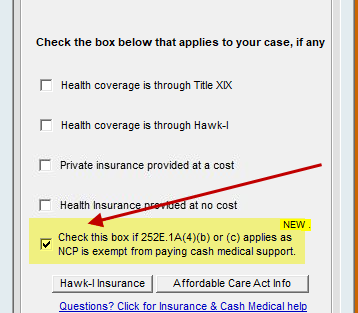
It is impossible for the program to perform the calculations with the 252E box checked. You must "Exit" and return to the program where you will need to manually prepare two worksheets.
Rule 9.14(4) of the Guidelines provides: Split or divided physical care. In the cases of court-ordered split or divided physical care, child support shall be calculated in the following manner: determine the amount of child support required by these guidelines for each party based on the number of children in the physical care of the other party; offset the two amounts as a method of payment; and the net difference shall be paid by the party with the higher child support obligation unless variance is warranted under rule 9.11.
When you split the children using the split feature of Iowa Support Master, you must keep the split window open and create your Form 1 from that window. If you exit back to the program, you must go back through the "Split" button to prepare your Form 1.